##See it work
##Opening a world is asking
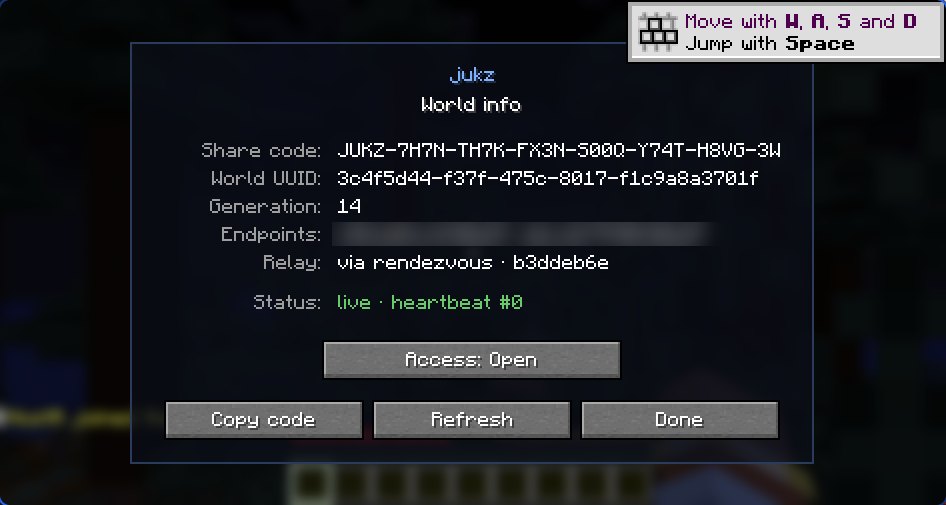
Every world gets a permanent UUID and a short share code. When you open it, jukz asks the network whether someone already has it open. If so, you join that person's world live, just like when someone opens their game to LAN. If not, the world opens on your PC and you're announced as the host. There are no copies to sync: the world lives in exactly one place at a time
##Finding each other
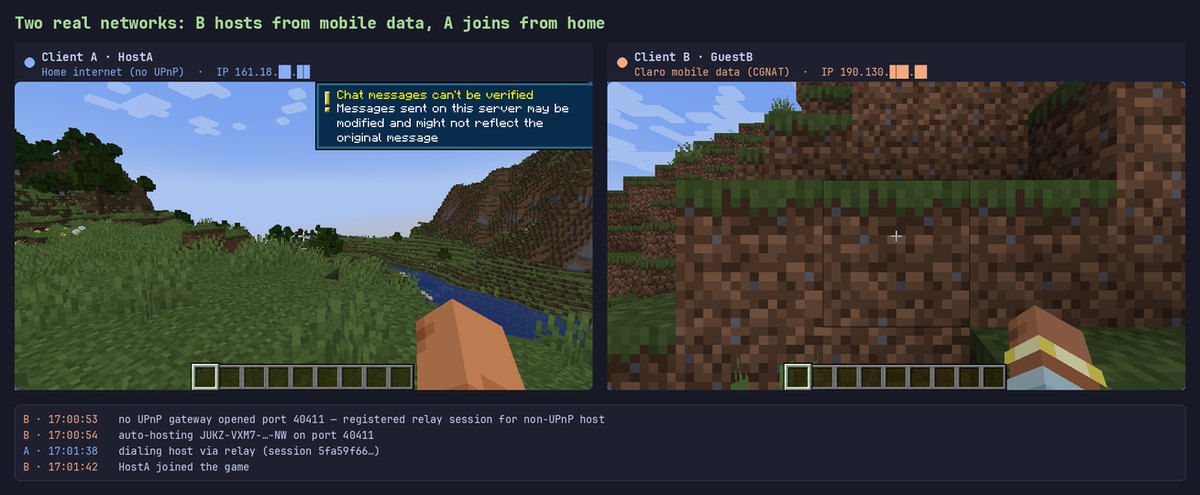
On the same network, PCs find each other over multicast, no internet needed. To play from different homes there's a rendezvous server of my own on Cloudflare (a Worker with Durable Objects), where every host announces itself. The host opens its router port with UPnP; when that's not possible (behind CGNAT, for example), the rendezvous acts as a WebSocket relay and joins the two outgoing connections
##Never two hosts
Every announcement carries a token with a generation number. If two people open the same world at the same time, the newest generation wins and the other one finds out: they can keep their local copy or join the live game as a guest
##Handing the world over
When the host quits with guests connected, it saves, snapshots the world with JGit and sends it to a guest over the same connection the game uses; the guest applies it and carries on as the host. If it quits with nobody around, the snapshot goes up to the cloud (R2) and the next person to open the world downloads it and picks up from there
##Your worlds on every PC
With a Microsoft account, every world you upload to the cloud is remembered on your account. Start the game on another PC or a fresh instance and the worlds come over on their own. A screen inside the game (the person icon on the title screen) shows your plan and today's uploads, lists the cloud worlds so you can bring or forget them, and the ones that only live on this PC, with a button to upload them. An account is optional: without one the game works the same, with smaller limits on the cloud copy (40 MB and 30 days, against 95 MB and 180 days)
##Who gets in
The share code finds a world and lets you ask to join, but every world also has an Ed25519 key that travels with its files: announcing, renewing the announcement and uploading or downloading the cloud copy are all signed with it. Someone with only the code can't take over the live world, overwrite the copy or ask for the handoff. Guests are verified by Mojang like on a normal server, and the host can close access to make the world private
##Cosmetics
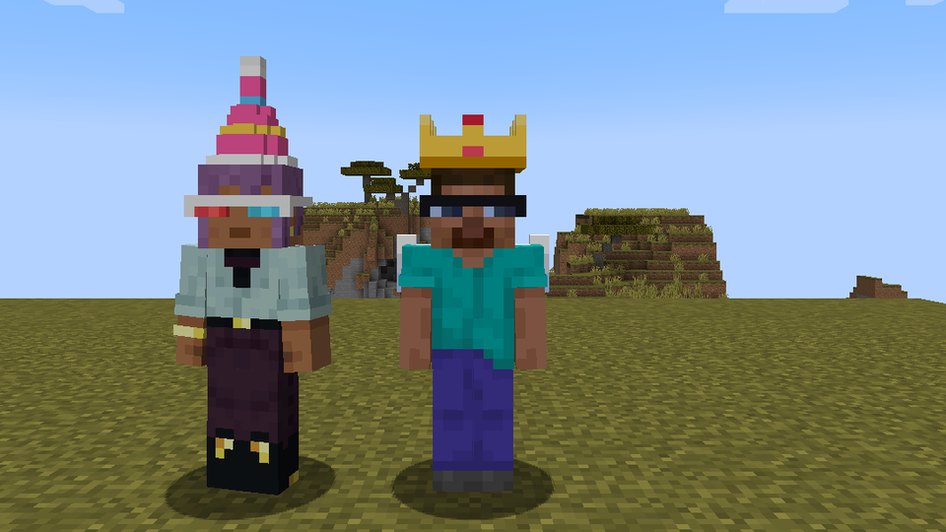
Hats, glasses, backpacks and wings drawn on your character, and a pixel badge next to your name in the player list. Everyone sees what you wear if they run jukz. They are made of ASCII art: each piece is a stack of text layers that the mod turns into a 3D mesh, so adding a new one needs no mod update. Today they are free, and anyone can design one in Blockbench and send it from the creators page
##Your skin, with or without a Mojang account
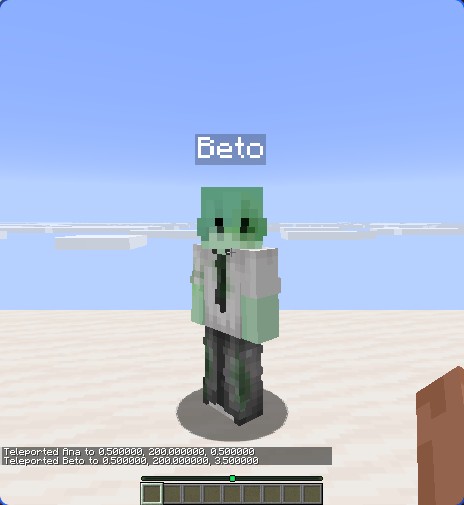
From the hub you pick a PNG (or drop it on the window), classic or slim arms, and see it on yourself before applying. With a Mojang account, jukz changes your real skin through Mojang’s API, and your session goes to Mojang only. Without one, the skin stays on your PC: when you play through jukz, your game hands it to the host over the game connection and the host passes it to the rest of the world, in memory only. No jukz server stores it
##How it was tested
The hard logic (host election, tokens, the protocol) lives in a pure Kotlin module with no Minecraft in it, covered by 94 tests. The rest was tested in-game with two clients against the live server, with the relay forced: joining, handing the world over, closing access and the cloud upload. Then it was tested across two real networks: one PC on the home network and the other on phone data, behind CGNAT. Joining by code, handing the world over both ways and the cloud copies all went through the relay
open a world (UUID)
 │
 ▼
is anyone hosting it?
 │ LAN: multicast · internet: rendezvous (Cloudflare)
 ├─ yes ─► join as a guest, live
 └─ no ──► open on this PC and announce it
           │ UPnP, or a WebSocket relay
           ▼
        when the world closes
         ├─ guests online ─► JGit snapshot ─► new host
         └─ nobody ────────► snapshot to R2 ─► next player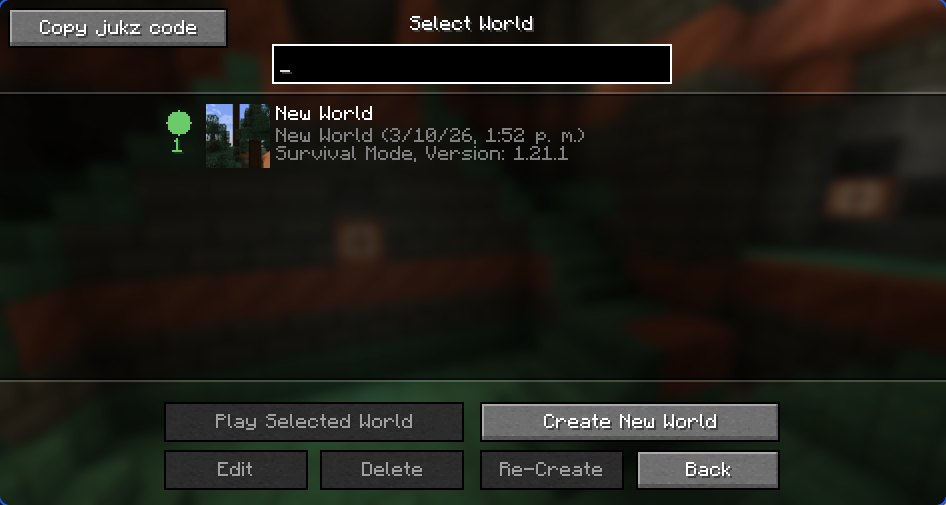
##Log
- Finding each otherMulticast discovery on the local network, plus a rendezvous server for the internet; UPnP and STUN to get through each home's NAT
- First gameHost and guest playing end to end. The DHT I had planned got dropped: the rendezvous server was simpler and more reliable
- The world fell out of syncHanding the world to the next host was losing changes. The fix: a WebSocket relay on the rendezvous server that carries the world snapshot
- Never lose the worldIf the last player quits with nobody else online, the world is uploaded to the cloud (R2) and the next player picks it up from there. Also fixed the case of two hosts at once
- Moving to Cloudflare, new screensThe Fly.io server was gone, so the rendezvous moved to a Cloudflare Worker with Durable Objects. The screens were rebuilt in owo-ui on one shared theme with hot reload. And closing access no longer splits the world in two
- Cosmetics, accounts and two networks3D cosmetics, a key for every world and worlds that follow your account arrived, with the cloud copy at about half the size. It was tested between a home network and mobile data behind CGNAT, and everything went through the relay
- Your account, inside the gameA screen to see your plan, bring cloud worlds to another PC and upload the ones that only live on this one. Two bugs showed up: the world was marked one generation behind after hosting, so it re-downloaded its own copy. Version 0.2.0 shipped
- The hub and skinsAccount, cosmetics, skin and worlds in one full-screen window, with its own pixel look drawn without textures so it works the same on all three Minecraft versions. Changing your skin from the game, even without a Mojang account: the skin travels from PC to PC over the game connection. Shipped as version 0.4.0