##See it work
##The question
A lot of people take it for granted that toggling airplane mode always gets you a new IP. The repo was built to check that with evidence: measure the public IP, change the network state over ADB, wait for it to come back, measure again, and keep the radio logs of every attempt (logcat -b radio), with a run index and JSON and CSV export
##Why it didn't work
Modes A and B used settings put global airplane_mode_on. The logs showed the problem: the radio never really let go of the tower. The command only flipped a setting, so the carrier kept the same CGNAT session and the same IP. The verdict in v0.1.0, in December 2025, was that ADB couldn't do it without system permissions
##The right command
In June 2026, while I was building Goket (my network panel), Claude found cmd connectivity airplane-mode enable|disable. It goes through ConnectivityService, the same path as the system toggle, and it really powers the radio off. It works without root since Android 12; on Android 16 the old AIRPLANE_MODE broadcast can't even be sent from ADB anymore (it throws SecurityException)
##The details that matter
The command alone wasn't enough. The phone's Wi-Fi is switched off during the test (svc wifi disable), because otherwise tethering goes out through the home internet and the measured IP isn't the carrier's. Under CGNAT a new IP isn't guaranteed on the first try, so it repeats short cycles (7 s off, 12 s to settle) up to 5 times. And the IP is measured through the tethering interface (curl --interface), so the PC keeps its own internet the whole time
PC (Python · menu.py)
 │ adb shell cmd connectivity airplane-mode enable
 ▼
Android 16 ─► ConnectivityService ─► radio off
 │ 7 s · airplane-mode disable
 ▼
the phone asks the carrier for a network again
 │ 12 s
 ▼
carrier (CGNAT) ── new IP?
 ├─ no ─► another cycle (max 5)
 └─ yes ─► curl --interface <tethering>
           190.130.xxx.204 → 190.130.xxx.83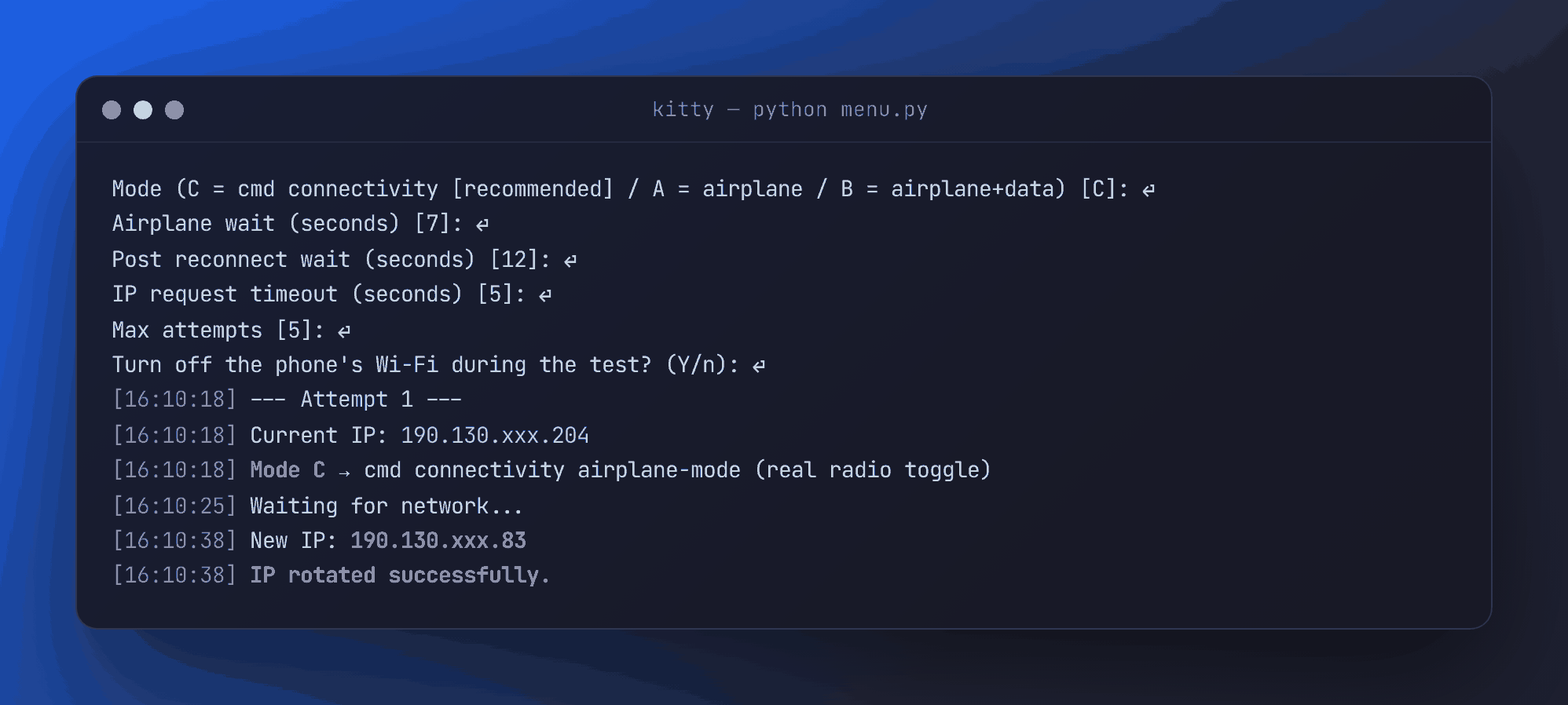
##Log
- The experimentModes A and B, an interactive menu, radio log capture, a run index, JSON and CSV export, and a Windows .exe that GitHub builds on every release
- The verdictWith
settings put global airplane_mode_onthe radio never truly goes down. The v0.1.0 README puts it in writing: "ADB can't do it" - The breakthroughWhile building Goket, Claude (Anthropic's AI) found
cmd connectivity airplane-mode: it goes through Android's connectivity service and really powers the radio off, no root needed, on Android 16. That one's on Claude - Back to the repoMode C: the phone's Wi-Fi stays off during the test, short cycles repeat until the carrier's CGNAT lets go of a new IP, and the IP is measured through the tethering interface. Real test: new IP on the first try, in 20 s. Shipped as v0.2.0